In this article, we will cover how to update your Payment Method using the MySavvy self-service portal.
If you would prefer to have an agent update this for you, please contact us.
What you will need before you begin:
- MySavvy Login
- Your new payment details
Instructions
- Log into your MySavvy Account
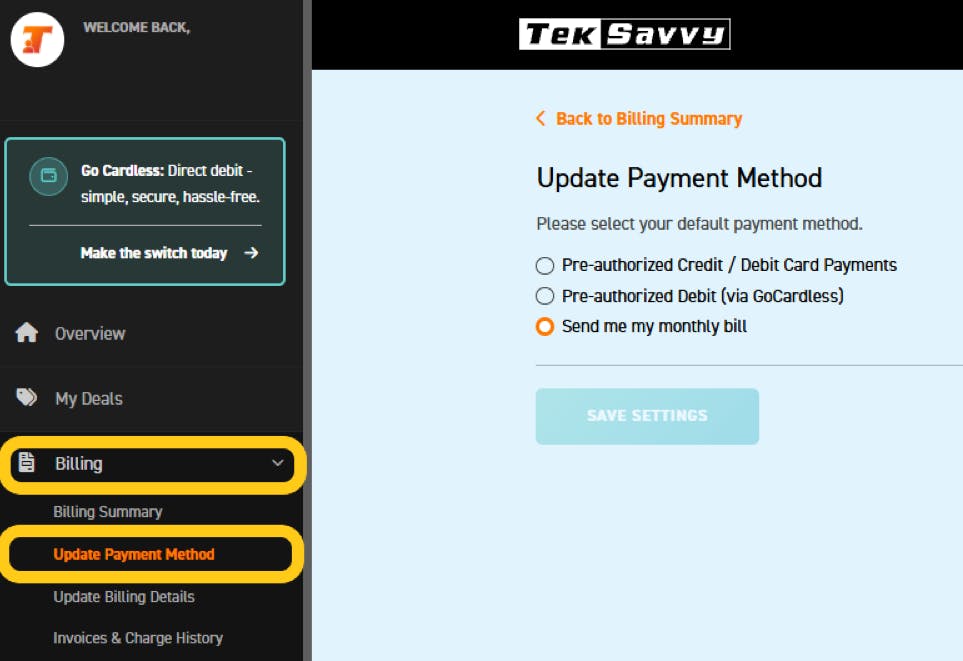
- Click on Billing on the left-hand menu.
- Click on Update Payment Method
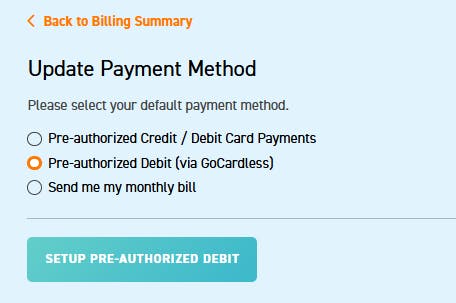
- Select the method you would like to switch to:
- Pre-authorized Credit / Debit Card Payments – The payments would come off the credit card each month
- Pre-authorized Debit (via GoCardless) – The payments would come from your bank account each month.
- Send me my monthly bill – You would choose how to pay your bill each month
- Pre-authorized Credit / Debit Card Payments – The payments would come off the credit card each month
- Click Save Settings
- You are all set!